Module 03: Compliance
This module shows how RHACS 5.0 maps your OpenShift environment against industry compliance standards, breaks down gaps by namespace and team, exports audit evidence, and automates recurring compliance scans.
Estimated time: 10-12 minutes
Part 1: Compliance dashboard overview
Know
Context: Compliance for containerized workloads is genuinely hard. Standards like PCI-DSS and HIPAA were written for traditional infrastructure — firewalls, DMZs, servers. Translating those controls into Kubernetes concepts requires interpretive work that most teams lack time to do properly.
The compliance challenge for platform and security teams:
-
Compliance controls are written in terms of firewalls, network segments, and access logs — concepts that map imperfectly to Kubernetes Network Policies, namespaces, and audit events
-
Security teams often have to manually map each control to the relevant OpenShift configuration and then gather evidence that it is in place
-
Without automation, compliance becomes a periodic fire drill rather than a continuous operational baseline
What RHACS provides:
-
Pre-built mappings from compliance controls to specific OpenShift configurations and DevOps processes
-
Continuous scanning against PCI-DSS, HIPAA, CIS Kubernetes Benchmarks, NIST SP 800-190, and STIG profiles
-
Pass/fail status per control, per cluster, per namespace, and per deployment — not just a single aggregate score
-
Automated evidence collection that auditors can review directly
The connection to what you have already seen:
Compliance is not a separate check. The controls RHACS evaluates are tied directly to the risk factors, network policies, and runtime behaviors covered in previous sections. A deployment with no network policy defined shows up as a compliance gap in PCI-DSS Control 1.1.4, not just as a risk finding.
Show
What I say:
"Compliance is where the security work you have already seen gets translated into audit-ready evidence. Let me show you how RHACS maps your environment to specific standards and where the gaps are."
What I do:
-
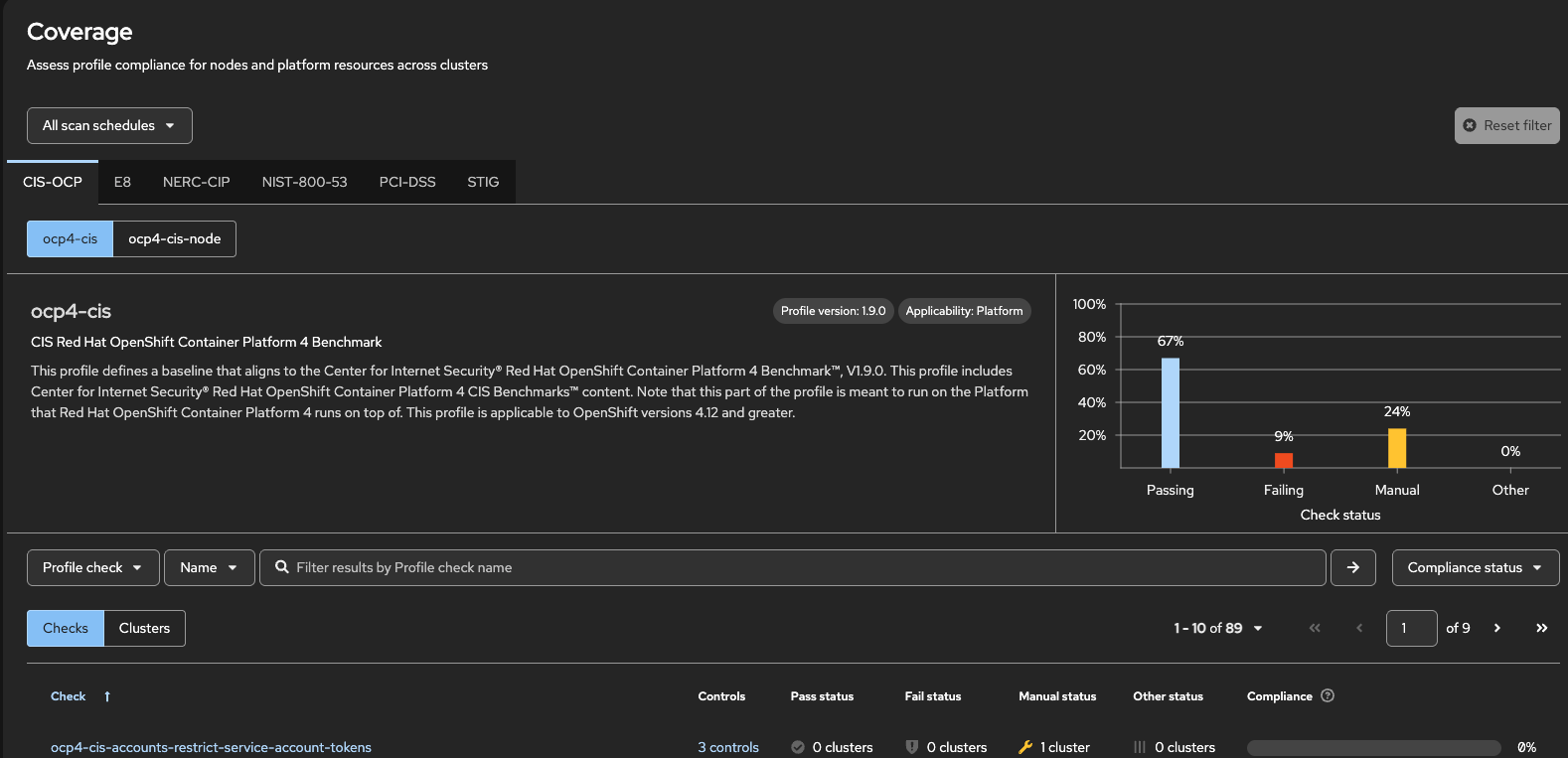
From the left side menu, navigate to Compliance and select OpenShift Coverage.
If no data is displayed, click Scan environment in the OpenShift Schedules tab to trigger an initial scan. -
Point to the standards listed:
"RHACS ships with mappings for PCI-DSS, HIPAA, CIS Benchmarks, NIST SP 800-190, DISA STIG, and more. These are the standards most regulated industries require, and each one maps controls to specific OpenShift configurations."
What they should notice:
-
Each standard shows an aggregate passing rate that links directly to detailed control-level findings
-
The same configuration gaps visible in the Risk view appear here as compliance failures
|
Presenter tip: If the audience includes a compliance or audit function, emphasize that the data shown here is continuously updated as the environment changes. A configuration that was compliant yesterday can appear as a gap today if a deployment is modified. This is a meaningful improvement over point-in-time audit snapshots. |
Part 2: Standards and namespace breakdown
Know
Context: An aggregate compliance score is only useful as an indicator. The operational value comes from understanding which specific controls are failing, in which namespaces, and for which teams — so remediation can be assigned correctly.
Translating traditional controls to Kubernetes:
-
RHACS provides guidance on the specific OpenShift configuration required to satisfy each control, making remediation actionable rather than interpretive.
Show
What I say:
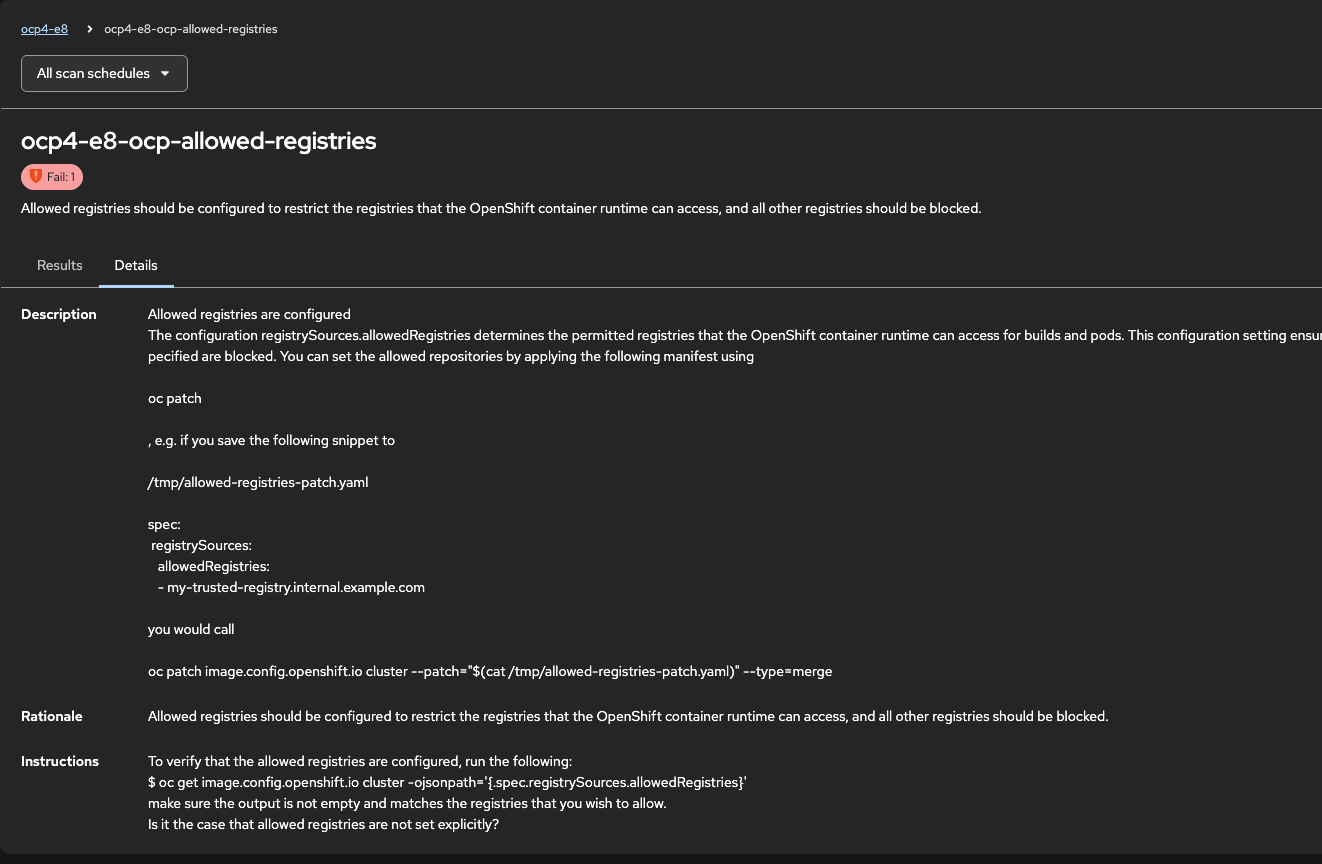
"Let me drill into Australians E8 to show you what a specific control failure looks like and how RHACS connects it back to a concrete OpenShift fix."
What I do:
-
Click on PCI
-
Locate and click on ocp4-e8-ocp-allowed-registries,
"Allowed registries should be configured to restrict the registries that the OpenShift container runtime can access, and all other registries should be blocked. That is the specific gap."
-
Click on production and point to the control guidance:
"RHACS provides the specific OpenShift configuration required to satisfy this control. It is not just a pass/fail verdict — it is a pointer to the fix."
What they should notice:
-
Control-level failures link directly to the specific Kubernetes resource that needs to be created or modified
-
The same data supports both security team review and application team remediation
Part 3: Evidence export and scan scheduling
Know
Context: Compliance programs are only as credible as the evidence behind them. Auditors need to see control-by-control, object-by-object proof that the required configurations are in place — not a dashboard screenshot.
The evidence problem:
-
Traditional compliance evidence collection is manual: engineers export logs, capture screenshots, and assemble spreadsheets to satisfy auditor requests
-
This process is time-consuming, error-prone, and produces a point-in-time snapshot that may not reflect the current state by the time the audit review happens
-
Teams that cannot produce evidence quickly often face extended audit cycles or remediation findings that were already addressed
What RHACS provides:
-
Machine-readable evidence export in CSV format covering every control, every object, and every pass/fail verdict
-
Scheduled scans that run automatically and can deliver reports to named recipients
-
A continuous evidence record rather than a periodic manual effort
Show
What I say:
"You are only as compliant as you can prove. Let me show you the evidence export and how RHACS automates the ongoing compliance process so it is not a fire drill every time an audit comes around."
What I do:
-
Navigate back to Compliance > OpenShift Schedules.
-
Click the … button to the right of the schedule and click generate download.
"This CSV export contains the full audit evidence set — every control, every Kubernetes object evaluated, and the pass/fail verdict for each. This is what your auditors want. Not a summary, not a percentage — the raw evidence that the required configurations are actually in place."
| If you have time, you can go through the compliance scheduling workflow below. Otherwise, you can skip to the next section. |
-
Navigate to Compliance and select Schedules from the left side menu.
-
Click Create Scan Schedule:
"Rather than running compliance checks manually, you can schedule them to run automatically on whatever cadence your program requires."
-
Walk through the wizard:
"First, set the scan name, description, and frequency — daily, weekly, or a custom schedule."
-
Click Next and select a cluster:
"Select which clusters to include in the scan."
-
Click Next and point to the profile list:
"Select which compliance profiles to scan against. The list includes CIS Benchmarks, PCI-DSS, HIPAA, NIST SP 800-190, and STIG, with the number of rules and the applicability — Platform or Node — shown for each."
-
Click Next and set up delivery:
"Add delivery destinations so the report goes directly to the people who need it. You can send to multiple recipients and use a distribution list."
-
Complete the wizard and click Save.
-
Click the schedule you just created, then click Actions > Run Scan:
"The schedule will run automatically on its configured cadence, but you can also trigger it manually at any time."
What they should notice:
-
Evidence export provides the raw audit trail, not just a summary view
-
Scan schedules eliminate the manual effort of periodic compliance reviews
-
Reports are delivered automatically to the right people, reducing the coordination overhead before an audit
|
If no notifier is configured when setting up the delivery destination, walk through creating one (email, Slack, or webhook). This is also an opportunity to mention that RHACS supports a range of notification targets, which connects naturally to the Integrations section later in the demo. |
|
Transition: Next we will cover Violations and Policy Management — how RHACS records every policy breach, what forensic data is available for runtime incidents, and how the unified policy engine spans build, deploy, and runtime enforcement. |