CI/CD and Automation
- 1. Module Goals
- 2. Implement Policy-as-Code in ACM with OpenShift GitOps
- 3. Ensure That the Policies Are Properly Configured
- 4. Implementing Security Checks into Your CI/CD Pipeline
- 5. Review a Basic CI/CD Pipeline
- 6. What Would You Do?
- 7. Security Exercise: ACME Incident Response
- 8. Summary
- 9. Cleanup
2. Implement Policy-as-Code in ACM with OpenShift GitOps
Here, you will manage ACS security policies via RHACM and OpenShift GitOps. First, you must create an ArgoCD controller in RHACM.
2.1. RHACM Console Access
The RHACM console is available in the OpenShift cluster console at: {openshift_console_url}
Administrator login is available with:
Username: |
{openshift_admin_user} |
Password: |
{openshift_admin_password} |
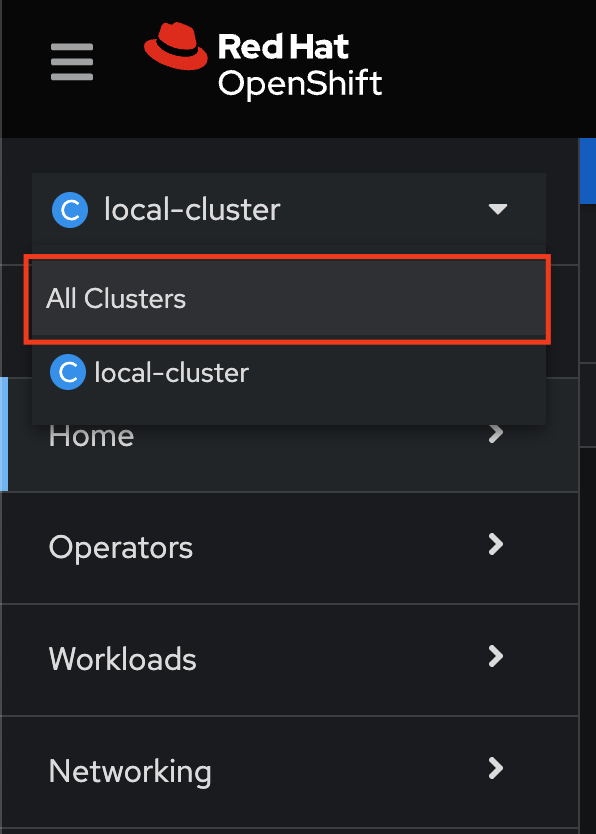
Navigate to the Cluster dropdown menu and then select All Clusters:
2.2. Implement Security Policy-as-Code
Procedure
-
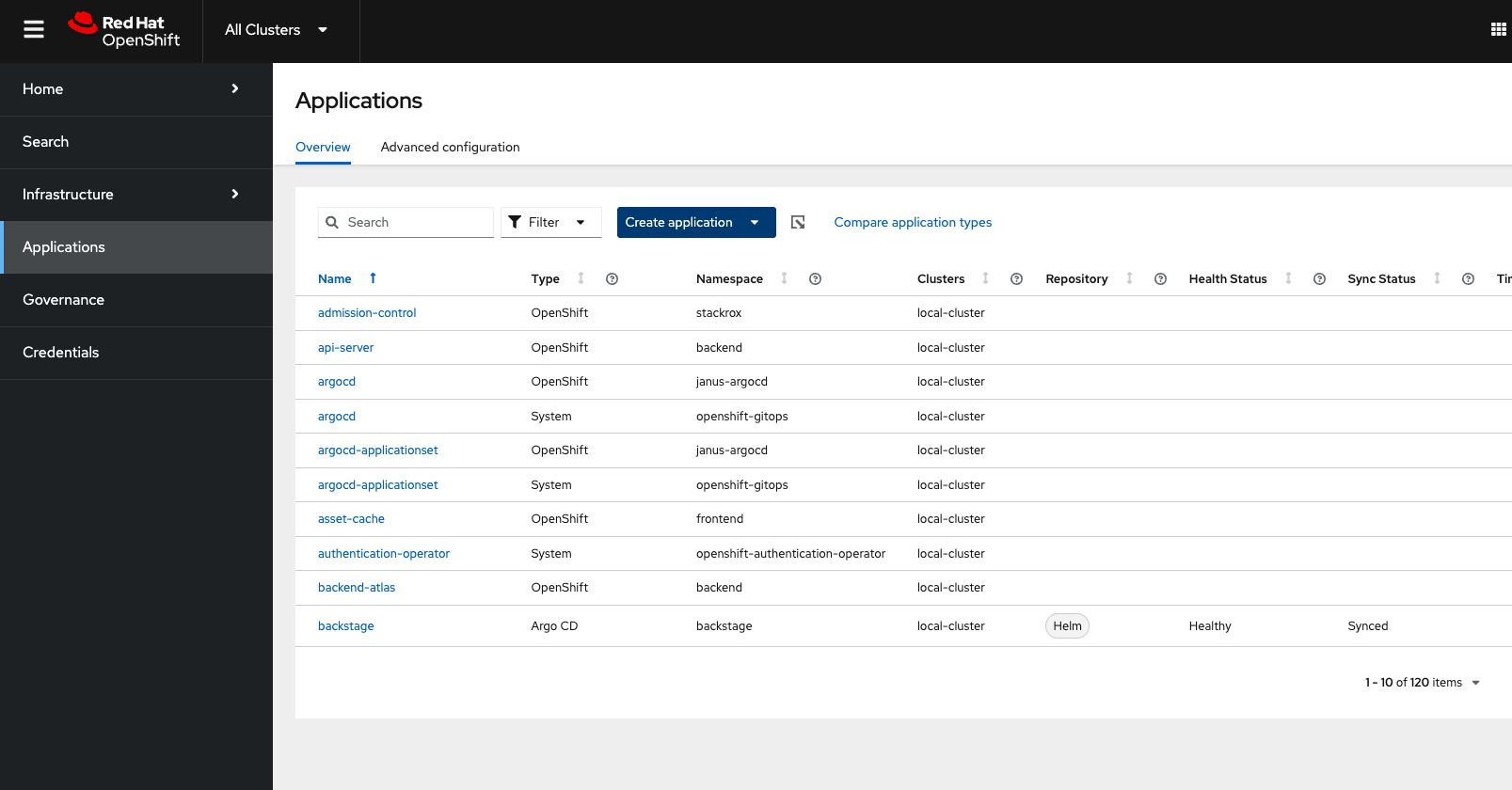
Navigate to Applications from the left side menu:
-
Click Create application, select ArgoCD ApplicationSet-Push Model:
-
Configure the Application:
-
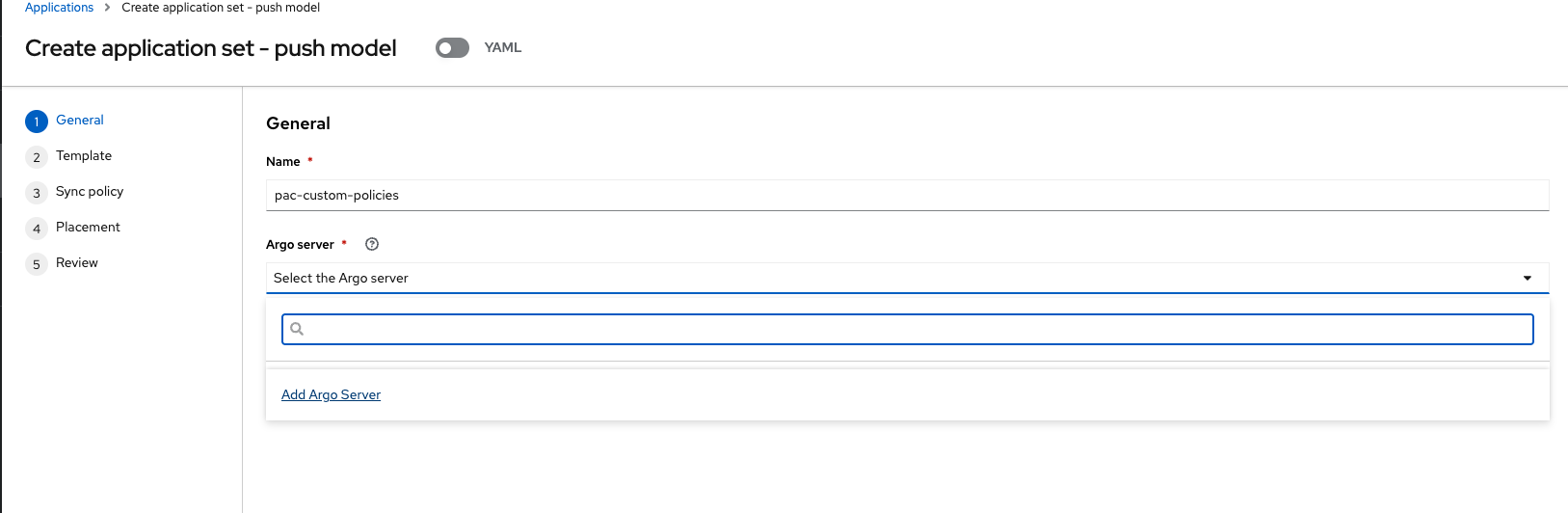
Name: Give the application the name pac-custom-policies:
-
pac-custom-policies-
Under the Argo server, select Add Argo Server:
-
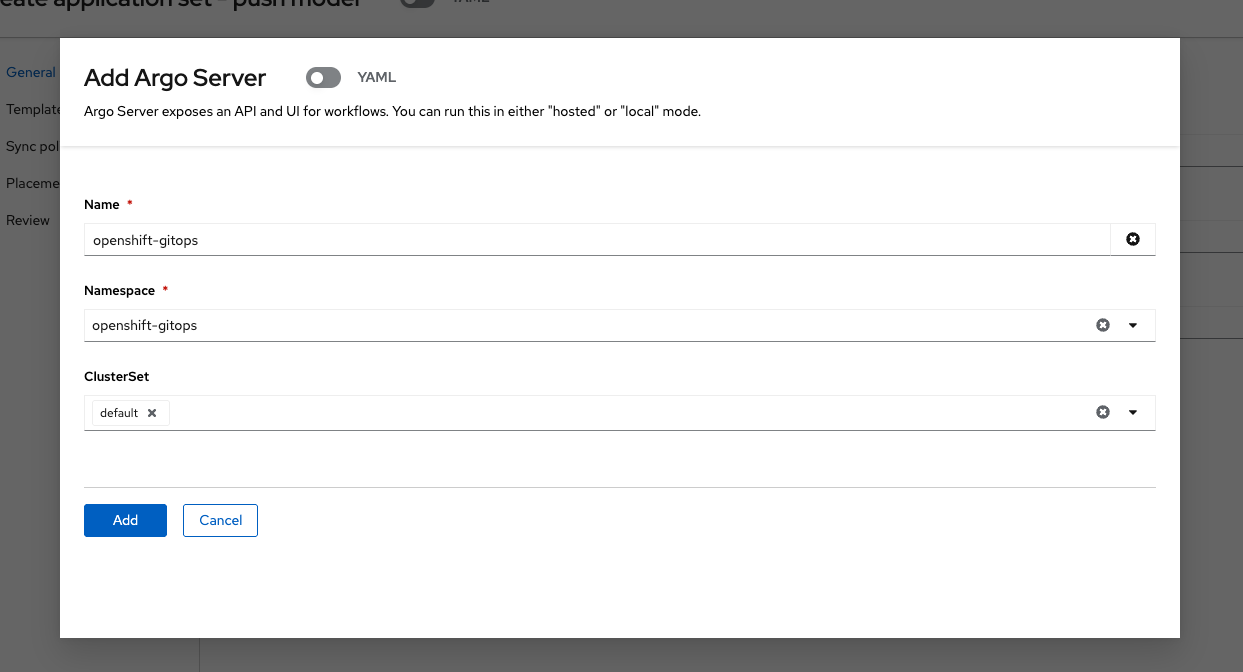
Enter the following information:
-
Name: openshift-gitops
-
Namespace: openshift-gitops
-
ClusterSet: default:
-
-
Click "Add," then make sure to select the created Argo server:
-
Click "Next"
-
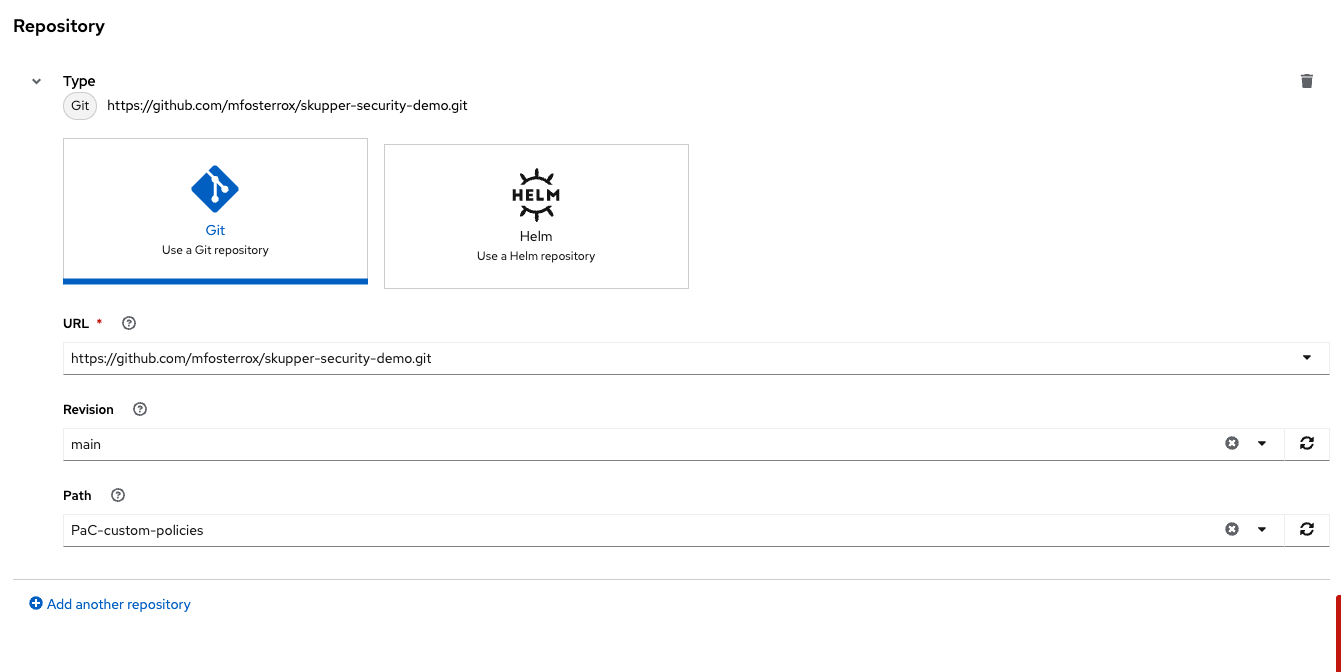
In the Template tab, select Git Repository and enter the URL of the GitHub repository containing the custom policies - URL: https://github.com/mfosterrox/skupper-security-demo.git:
-
Select "Main":
-
Select "PaC-custom-policies":
-
Enter the remote namespace of "stackrox":
-
Click "Next TWICE":
-
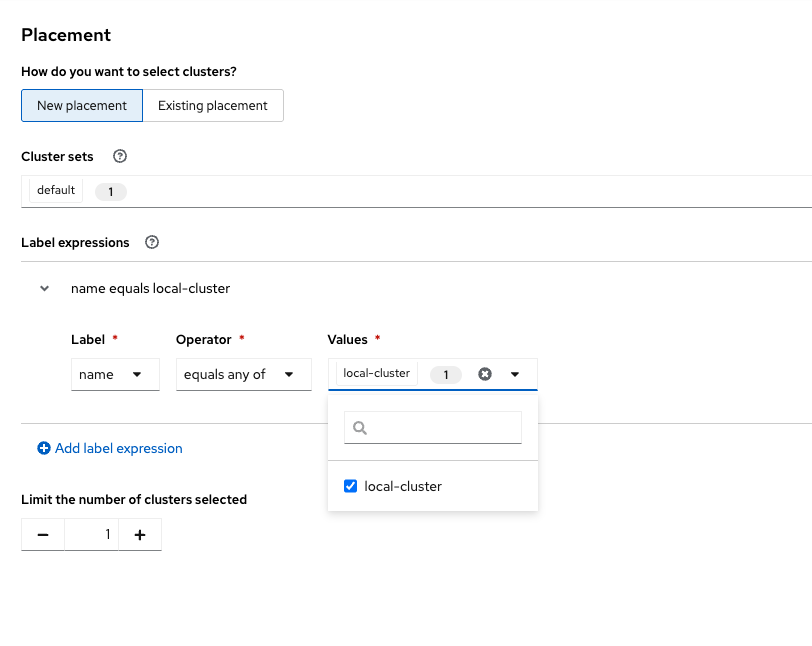
Set the following in the Placement tab:
-
Cluster sets: default:
-
-
Under Label expressions, click add label and select the following:
-
Label: name
-
Operator: equals any of
-
Values: local-cluster:
-
-
Click "Next":
-
Click "Submit":
-
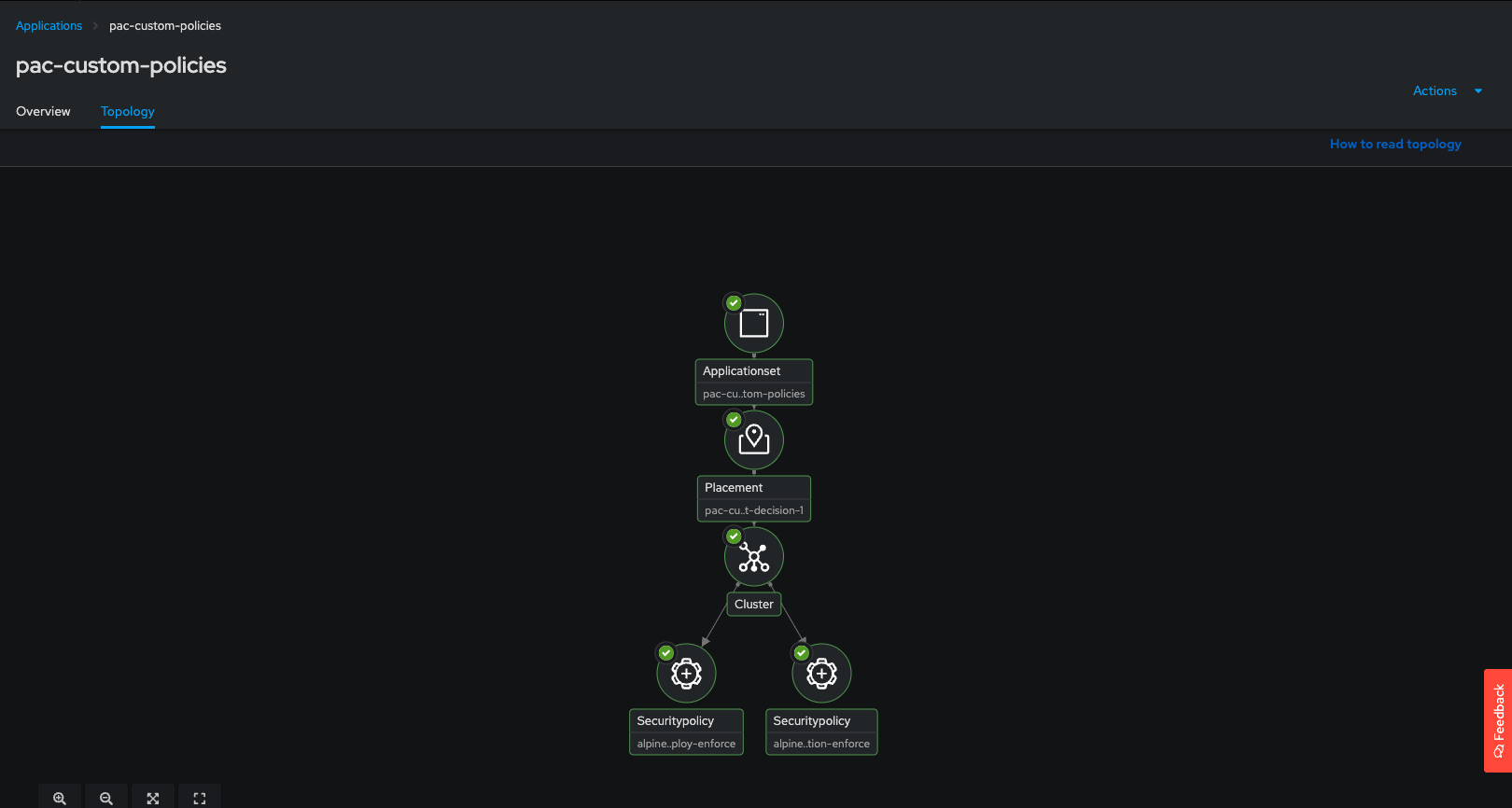
Click on "Topology" and wait for the policies to go green:
3. Ensure That the Policies Are Properly Configured
Let’s run the check again to check if the policies were successful.
Procedure
-
Perform an image security scan using roxctl to check for policy violations:
roxctl -e $ROX_CENTRAL_ADDRESS:443 image check --image $QUAY_URL/$QUAY_USER/frontend:0.1Expected: Two failing APK enforce policies plus GitOps-managed policies from the previous section.
You should see a second APK policy violation from the externally managed GitOps policy.
3.1. Check on Your Policies
Procedure
-
Go to the RHACS dashboard and head to the Platform Configuration → Policy Management dashboard:
-
Search by
Policythealpine:
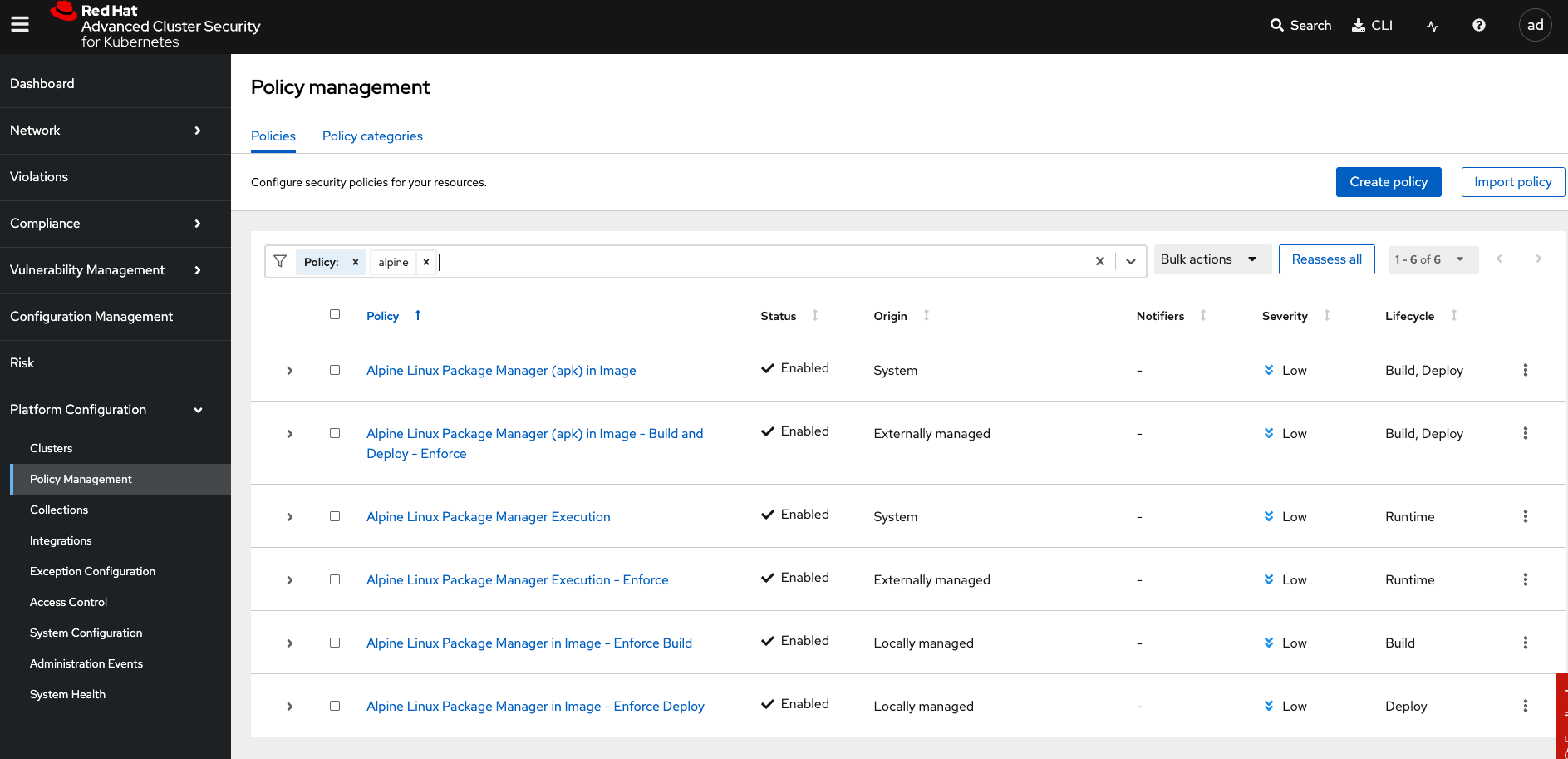
Notice how the policies are System, Locally managed, and Externally managed?
What’s the difference?
-
System policies come with RHACS by default
-
Locally managed policies are created in RHACS or via the API
-
Externally managed policies are managed via GitOps and policy as code
-
Delete the locally managed "conflicting" policies by running the following command:
POLICY_ID=$(curl -X GET \
  -H "Authorization: Bearer $ROX_API_TOKEN" \
  -H "Content-Type: application/json" \
  https://$ROX_CENTRAL_ADDRESS/v1/policies | jq -r '.policies[] | select(.name=="Alpine Linux Package Manager in Image - Enforce Build") | .id')

curl -X DELETE \
  -H "Authorization: Bearer $ROX_API_TOKEN" \
  -H "Content-Type: application/json" \
  -d '{
        "id": "$POLICY_ID"
      }' \
  https://$ROX_CENTRAL_ADDRESS/v1/policies/$POLICY_ID
Nice job!
4. Implementing Security Checks into Your CI/CD Pipeline
RHACS integrates into CI/CD via roxctl and the admission controller for image scanning, secret handling, and compliance checks. Best practices include RBAC on pipelines, minimal base images, dependency pinning, and policy-as-code.
5. Review a Basic CI/CD Pipeline
Review a simple OpenShift Pipelines (Tekton) workflow that scans images with roxctl before deploy.
Procedure
-
Log in to the OpenShift console at
{web_console_url}(same credentials as earlier modules). Select local-cluster, then open Pipelines.
-
Apply the pipeline resources:
oc apply -f $TUTORIAL_HOME/openshift-pipelines/ --recursiveExpected: rox-pipeline, roxsecrets, and Tekton tasks are created.
Find rox-pipeline in project pipeline-demo, or switch the project filter to pipeline-demo.
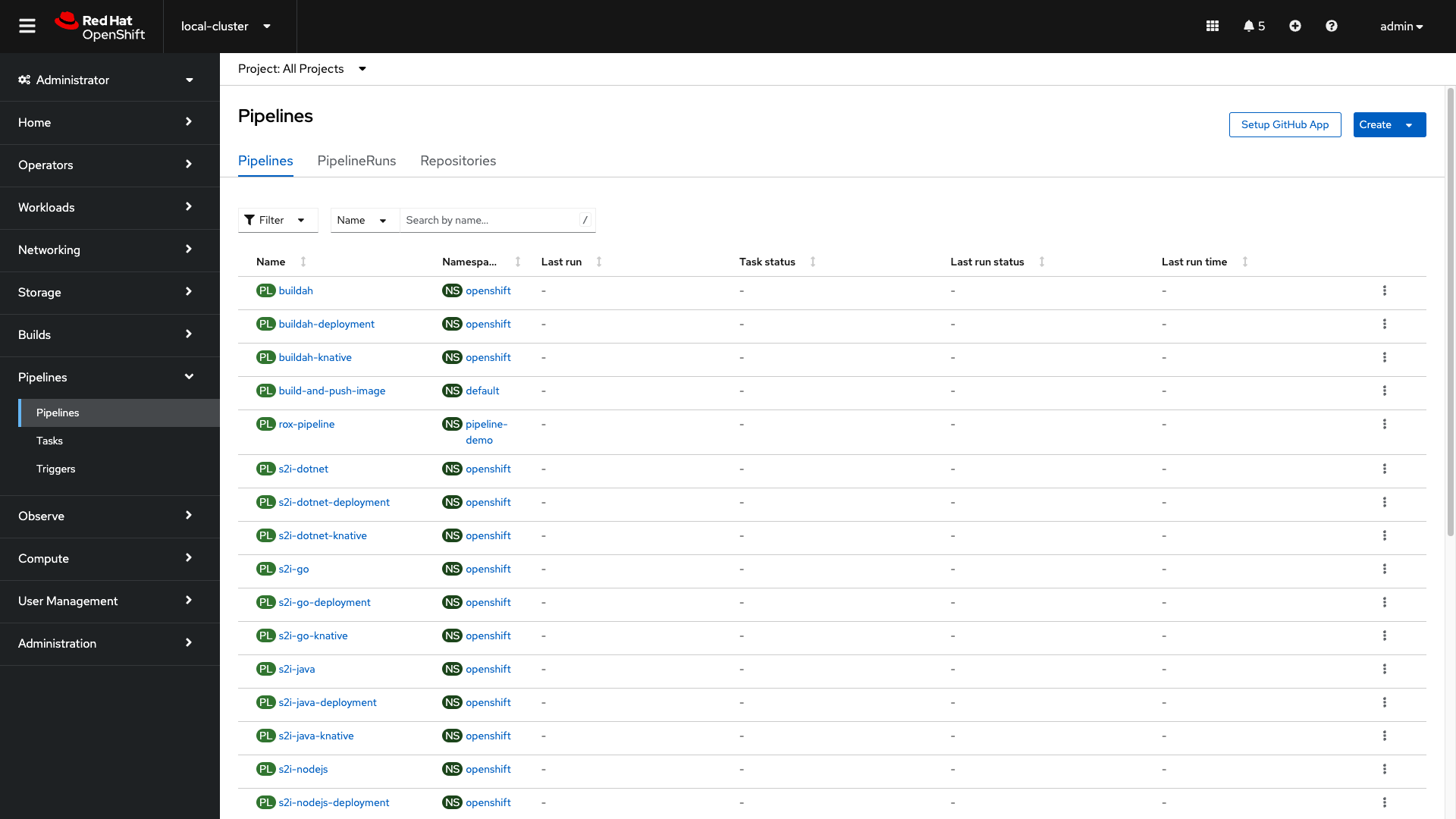
Start a pipeline run:
-
Click the three dots on the right side of the screen and select start:
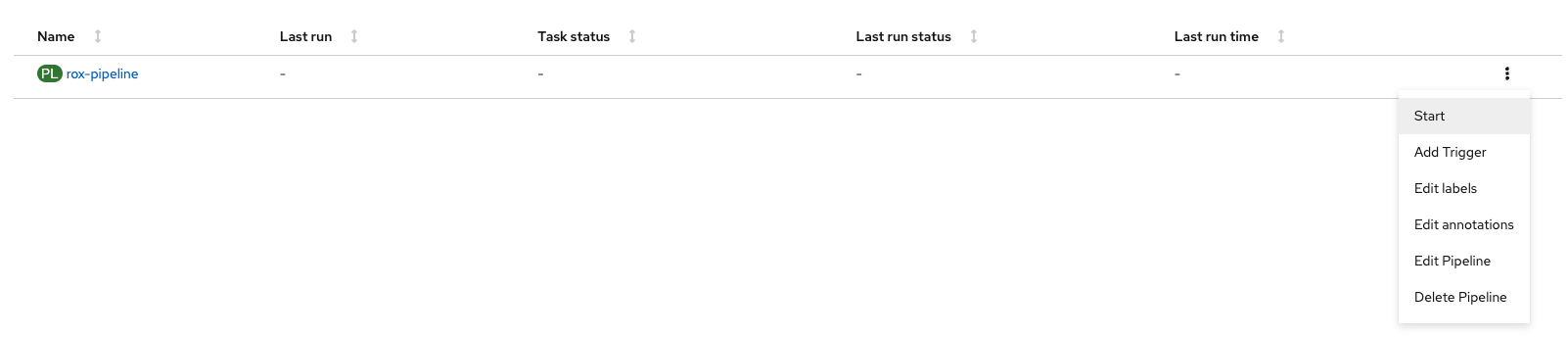
This pipeline works by taking an image that you have created and passing it through a "roxctl image scan" and a "roxctl image check" process.
-
Let’s use the frontend:0.1 image that we’ve been using all day. Run the following and input it into the image bar:
echo $QUAY_URL/$QUAY_USER/frontend:0.1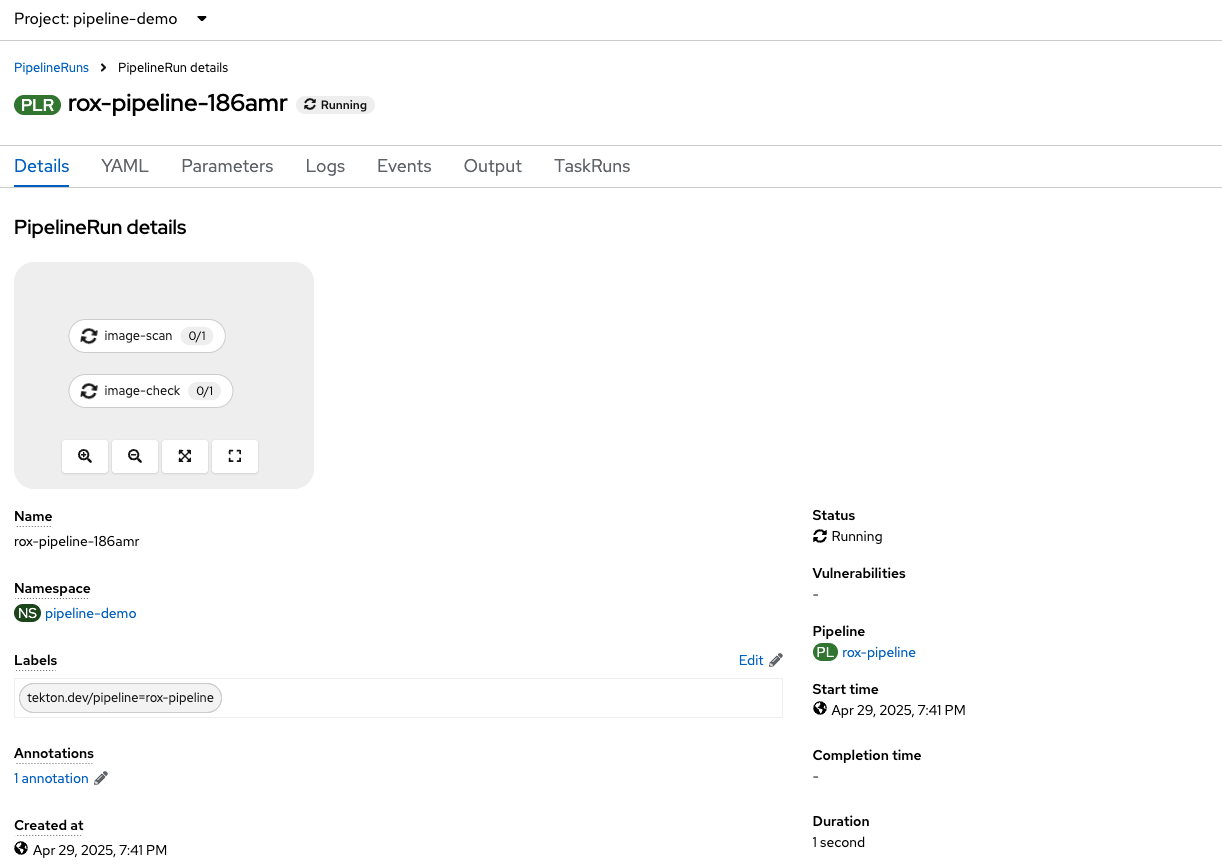
| The pipeline should fail. |
Why do you think the pipeline failed?
Let’s look at the logs.
-
Take a look at the log snippet on the bottom right of the page:
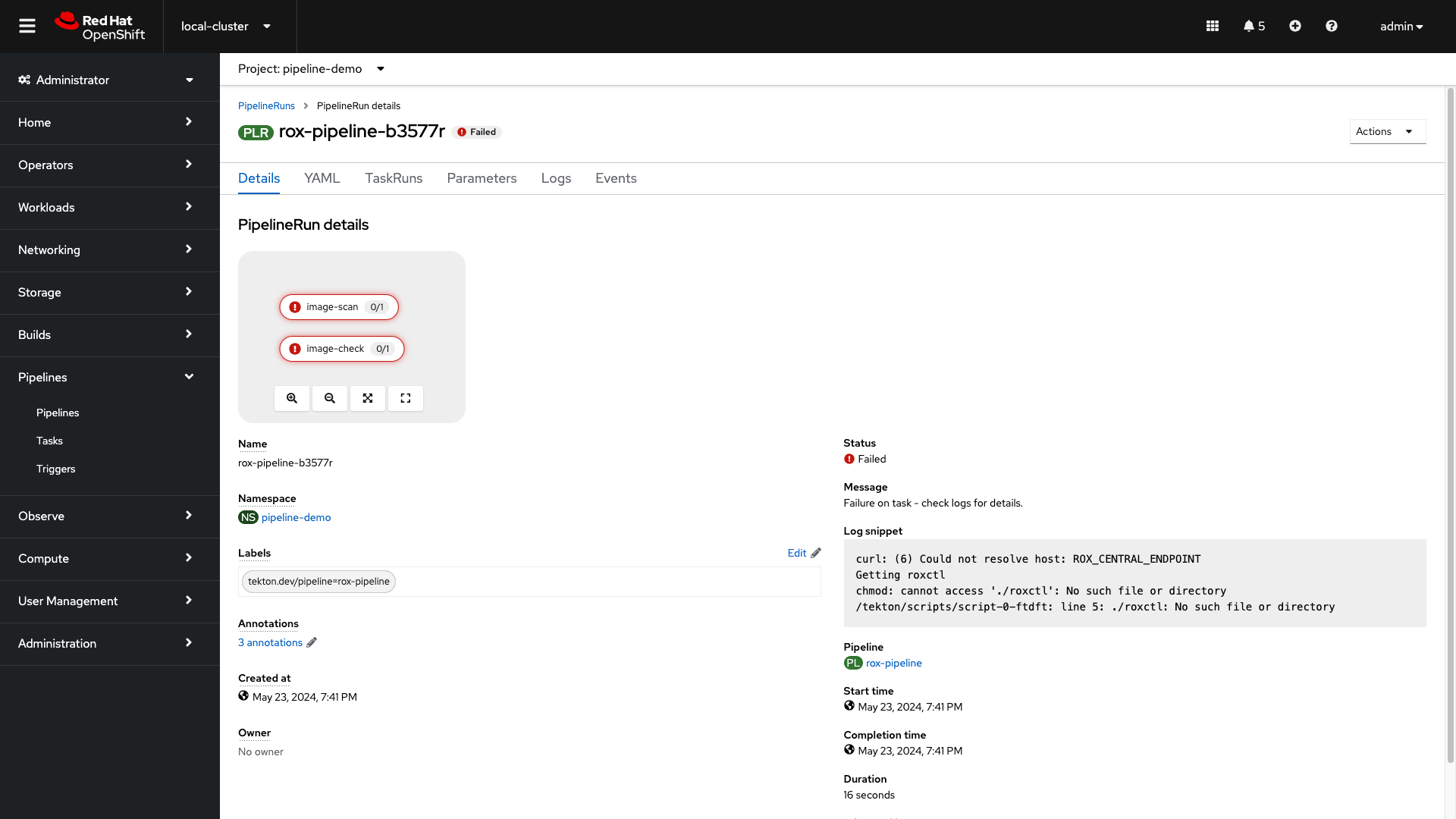
Expected: Initial failure—Could not resolve host: ROX_CENTRAL_ENDPOINT and missing roxctl indicate incorrect pipeline secret variables.
Inspect the pipeline secret template:
-
Run the following in the terminal:
cat $TUTORIAL_HOME/openshift-pipelines/secrets/rox-secrets.ymlThe secret requires rox_central_endpoint and rox_api_token. Update placeholders with your Central route and API token:
-
Run the following in the terminal to update the RHACS Central address and API Token:
ACS_URL=$(oc -n stackrox get route central -o jsonpath='{.spec.host}')
ACS_URL_PORT=$(echo "$ACS_URL" | sed 's/$/:443/')
sed -i "s|ROXCTL_CENTRAL_ENDPOINT|$ACS_URL_PORT|g" $TUTORIAL_HOME/openshift-pipelines/secrets/rox-secrets.yml
sed -i "s|API_TOKEN|$ROX_API_TOKEN|g" $TUTORIAL_HOME/openshift-pipelines/secrets/rox-secrets.yml-
Apply the updated secret:
oc apply -f $TUTORIAL_HOME/openshift-pipelines/secrets/rox-secrets.yml5.1. Let’s Try Again
Procedure
-
Go back to the pipelines view:
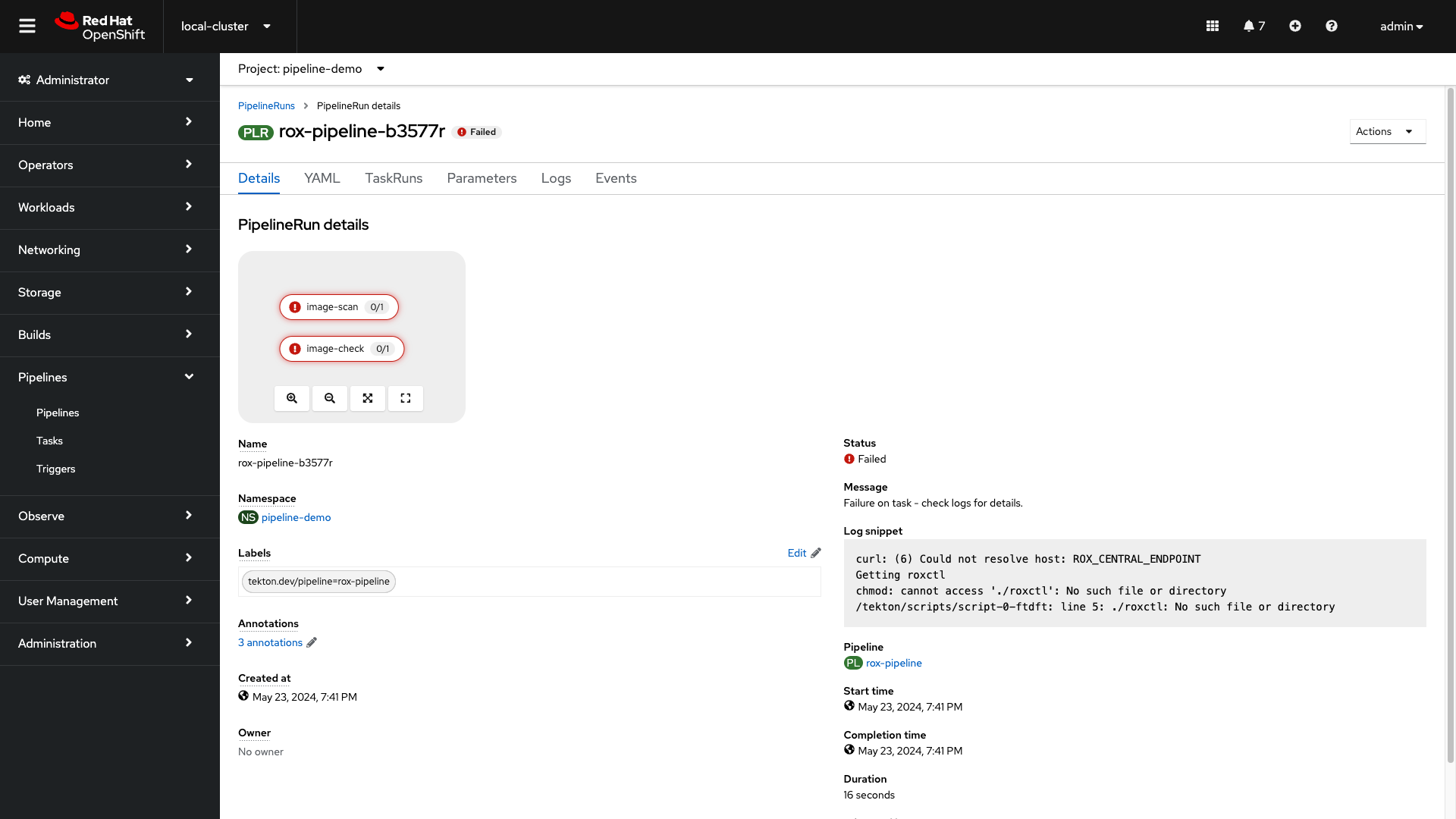
-
Click the Actions dropdown and select Rerun. Then relax for a few seconds and grab a sip of water:

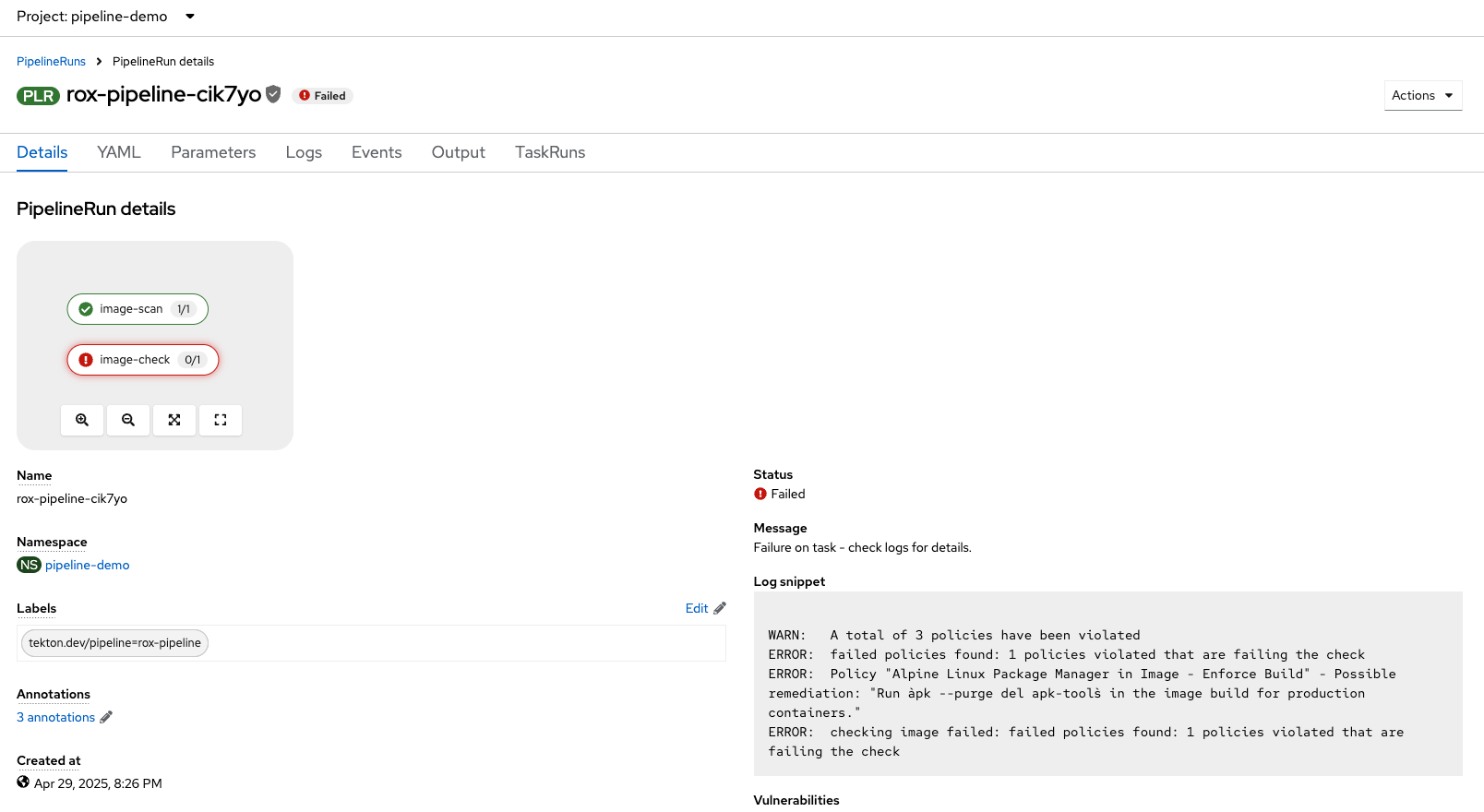
What happened? Did you expect this behavior?
-
Check the log snippet in the bottom right of the page.
Expected: Pipeline fails on enforced policy—ERROR: failed policies found: 1 policies violated (e.g. Ubuntu Package Manager in Image - Build-time).
So our policy-as-code example blocked the pipeline from executing successfully.
6. What Would You Do?
-
How would you implement roxctl into your pipelines?
-
Would you have enforcement off at the beginning?
-
Are there any organizational policies that should be enforced in all pipelines?
7. Security Exercise: ACME Incident Response
At 02:14 AM Morgan paged Sarah to trace how the attacker got shell access. The answer is in the audit logs—and it implicates a CI/CD service account.
You are participating in the ACME Financial Services security incident workshop. Sarah, a senior OpenShift Platform Engineer, and Morgan from Infosec are responding to a breach in the payment-gateway production namespace. An attacker used a compromised CI/CD service account to exec into the payment-gateway pod, deploy a hidden toolkit (/tmp/.hidden_toolkit/exfil.sh), and beacon outbound to a command-and-control server.
Each ACS module ends with a hands-on exercise that advances this incident response story using RHACS and OpenShift platform tools.
7.1. Scenario
I’m querying control-plane audit logs for exec events in our namespace. Morgan needs to know if this is bigger than one pod.
Platform Engineering
7.2. Your task
The steps are there for guidance. If you need help, expand the step and compare your approach to the lab commands.
Step 1 — Switch to your payment gateway namespace
Use your assigned workshop namespace suffix 1.
|
-
Payment gateway (breached workload):
payment-gateway-1 -
Vulnerable Socket.IO demo:
vulnerable-workload-1
Switch to your payment gateway namespace before running commands:
oc project payment-gateway-1If your administrator has not yet provisioned the environment, ask them to run ./setup/deploy-incident-env.sh from the roadshow repository (see setup/README.adoc).
Step 2 — Search audit logs for the compromised exec
Search audit logs on control plane nodes for the compromised exec:
namespace=$(oc project --short)

for master in $(oc get nodes --selector node-role.kubernetes.io/master --output name); do
  echo "=== Searching logs on ${master} ==="
  oc adm node-logs "${master}" --path=kube-apiserver/audit.log \
    | jq --arg ns "${namespace}" 'first(select(.objectRef.namespace == $ns
          and .objectRef.name == "payment-gateway"
          and .verb == "create"
          and .objectRef.subresource == "exec"))'
done
Step 3 — Interpret the audit log output
Review the output. Key fields to identify:
-
user.username— should besystem:serviceaccount:payment-gateway-1:cicd-pipeline-runner-sa -
requestURI— URL-encoded payload withSHADOW_PIVOT,/tmp/.hidden_toolkit/exfil.sh -
responseStatus.code—101(WebSocket upgrade = successful exec) -
annotations— RBAC binding that allowed the exec